
Small and medium businesses rely on Microsoft 365 every day. It powers email, documents, spreadsheets, and presentations. Most teams could not operate without Word, Excel, PowerPoint, or Outlook. Yet, while most users are familiar with the basics, many overlook features already sitting within their subscription that can make daily work faster, easier, and more connected.
Unlocking the true value of Microsoft 365 isn’t about adding more software, it’s about making smarter use of what you already have. When your entire team fully understands the breadth of tools available to them, productivity rises naturally, and collaboration becomes second nature.
OneDrive and SharePoint: Build a real foundation for connected work
Every document, spreadsheet, and presentation your team creates has a place to live in Microsoft 365. OneDrive gives each user secure cloud storage for their personal files, while SharePoint provides structured shared libraries for teams and departments. Together, they create a single source of truth where everyone works from the same version of every document.
Rather than attaching files to endless email threads, you can share a secure link that updates automatically. Revisions appear in real time, and version history ensures old copies are always recoverable. For project teams, a SharePoint site can act as a digital headquarters, housing templates, resources, and communications in one central location.
The result is less time searching for content and more time creating it. Everyone knows where to find what they need, even when working remotely.
Microsoft Teams: Where collaboration happens
Teams has become the beating heart of modern business communication. For small and medium organisations, it removes the need for multiple apps for meetings, messaging, and collaboration. Within Teams, staff can chat instantly, schedule video calls, collaborate on live documents, and share files from OneDrive or SharePoint, all without leaving the app.
A common scenario is a project running across multiple locations or departments. Teams creates channels dedicated to each client or project, keeping conversations and files organised. Employees can jump from a chat to a meeting with one click and open shared documents directly in Word or Excel to co‑author live during discussions.
When used fully, Teams turns collaboration into a natural flow of work, reducing email clutter, boosting responsiveness, and enabling real‑time communication wherever people are working.
Planner and Loop: Transform how work is organised and tracked
Many SMBs manage projects through email or scattered spreadsheets, which makes coordination difficult. Microsoft 365 includes built‑in tools to fix this.
Planner offers easy project tracking and task management directly within Teams. You can see every task in progress, assign ownership, and track deadlines in a single clear dashboard. Meanwhile, Loop introduces dynamic components such as live tables, lists, and notes that can move seamlessly between Teams, Outlook, and Word. It lets teams capture and share ideas collaboratively, without worrying about version control or format.
Together, these apps help small teams visualise progress and stay accountable, even when juggling multiple priorities. Team members can instantly see what needs doing, who’s responsible, and how the project is moving forward.
Outlook, Bookings, and Forms: optimise how you connect and communicate
Most people already rely on Outlook for email and calendar management, but its deeper capabilities often go unused. Shared calendars make team coordination easier, and categorisation keeps meetings, follow‑ups, and project milestones neatly organised.
Paired with Microsoft Bookings, scheduling becomes effortless. Customers or partners can book meetings directly into available slots, automatically syncing with Outlook calendars. This saves time and avoids the endless back‑and‑forth of scheduling calls or appointments.
Microsoft Forms, meanwhile, provides a simple way to collect and visualise information. Whether you are gathering customer feedback, running a staff survey, or conducting event sign‑ups, Forms delivers results instantly in an easy‑to‑analyse format.
These small improvements can make your communication and coordination significantly more effective across every part of your business.
PowerPoint, Word, Excel: The essentials that evolve with you
The familiar Microsoft 365 apps remain industry standards for a reason. In many SMBs, Word, Excel, and PowerPoint underpin the most important work that happens every day, whether writing proposals, analysing budgets, or presenting to customers.
What often goes unnoticed is how deeply these apps now connect with other parts of Microsoft 365. You can co‑author in real time with colleagues through OneDrive, pull live data into spreadsheets from the cloud, and even discuss documents collectively inside Teams. Templates, integrations, and automation make once‑complex tasks easier than ever.
The capabilities continue to evolve too. Features such as smart templates, real‑time commenting, and accessibility improvements ensure your content looks professional across every format, helping small businesses maintain a consistent, credible image.
Copilot Chat: Your built‑in AI productivity partner
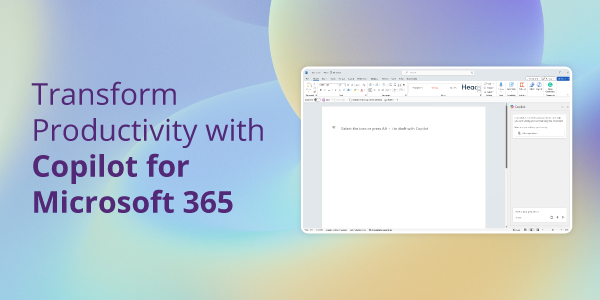
Artificial intelligence is built directly into Microsoft 365 through Copilot Chat, giving your team a practical way to save time and spark ideas. It lets users summarise documents, draft messages or reports, find relevant information, and refine written content simply by asking questions in natural language. Because it is already included in eligible Microsoft 365 subscriptions, businesses can explore AI safely and without additional cost.
Copilot Chat helps employees work more efficiently inside the tools they already use, offering a simple way to experiment with automation and creativity. It can streamline research, polish communication, and help bring clarity to complex information. In doing so, it turns Microsoft 365 into an intelligent workspace that supports focus and productivity across your business.
Security built into every layer of your work
Every file created, shared, and stored in Microsoft 365 is automatically protected by enterprise‑grade security. Features like file encryption, conditional access, and threat detection operate quietly in the background, securing business data without disrupting productivity. Data saved in OneDrive or SharePoint stays compliant with modern standards, and administrators can manage access centrally to prevent accidental sharing or loss. This built‑in protection means your team can focus on creating and collaborating, confident that your documents are safe and backed by Microsoft’s continuous security updates.
Streamline your business by consolidating how you work
It’s easy to underestimate how much time is lost switching between systems or tools. Microsoft 365 eliminates that friction by bringing everything together into one connected platform. File management, communication, scheduling, and collaboration flow together naturally, with built‑in security handling data protection in the background.
The more your business relies on Microsoft 365, the simpler your processes become. Every task, from customer meetings to marketing planning, can happen within the same trusted ecosystem, creating consistency and saving time.
Start unlocking the full value of what you already have
Most SMBs already have the licenses they need; they simply aren’t taking full advantage of them. By exploring what Microsoft 365 includes beyond the core Office apps, you can find countless ways to reduce manual work, improve communication, and keep projects on track.
Review how your teams currently use Microsoft 365 and consider where you could streamline processes, simplify collaboration, or make data easier to access. Often, the tools to solve those challenges are already available, it’s simply a matter of finding and adopting them.
If you’d like to help your teams make better use of the tools they already have and see how Microsoft 365 can make daily work simpler, smoother, and more connected, contact us to find out more.