
There are many ways that technology can help not-for-profit (NFP) organisations elevate their impact. Some of these technologies will have a direct benefit for the beneficiary, but something that is often overlooked is how tools that increase operational efficiency and employee productivity can help.
By cutting out the busy-work and automating repetitive processes, employees have more time to focus on impactful work and ultimately delivering better experiences.
With the advent of AI, there are a suite of new tools and apps available to support with this, with Microsoft being at the forefront of innovation.
This article will take a look at how Copilot and its feature set can elevate the impact of not-for-profits, including real world use cases.
What is Microsoft 365 Copilot?
Microsoft 365 Copilot is an AI assistant for work that is built into all Microsoft 365 productivity apps that utilising context from organisational data stored within the Microsoft cloud.
In simple terms, Copilot can be thought of as gaining an assistant to help navigate any task by working alongside you. Embedded in the Microsoft 365 apps you use every day — Word, Excel, PowerPoint, Outlook, Teams and more — it can unleash creativity, unlock productivity and uplevel your skills.
With Copilot, you’re always in control. You decide what to keep, modify or discard. Now, you can be more creative in Word, more analytical in Excel, more expressive in PowerPoint, more productive in Outlook and more collaborative in Teams.
Key Features
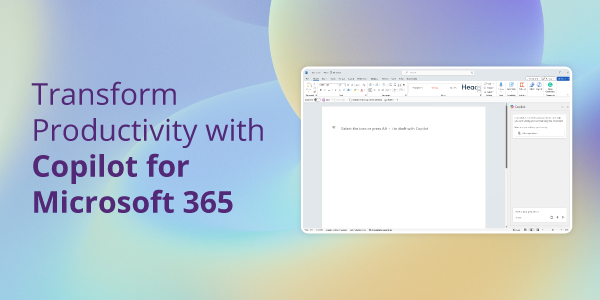
With Copilot in Word, you can jump-start the creative process, so you never start with a blank slate again. Copilot gives you a first draft to edit and iterate on — saving hours in writing, sourcing, and editing time. You’re always in control as the author, driving your unique ideas forward, prompting Copilot to shorten, rewrite or give feedback.
Copilot in PowerPoint helps you create beautiful presentations with a simple prompt, adding relevant content from a document you made last week or last year.
With Copilot in Excel, you can analyse trends and create professional-looking data visualisations in seconds.
From summarising long email threads to quickly drafting suggested replies, Copilot in Outlook helps you clear your inbox in minutes, not hours. In fact, a study with early adopters of Copilot has discovered that emails written with Copilot were rated 18% more clear and 19% more concise.
And every meeting is a productive meeting with Copilot in Teams. It can summarise key discussion points — including who said what and where people are aligned and where they disagree — and suggest action items, all in real time during a meeting. Microsoft found that Copilot users summarised a 35-minute recorded meeting nearly 4x faster (3.8), in 11 minutes and 13 seconds, compared to 42 minutes and 34 seconds for non-copilot users.
Copilot is also available in every Office application, as well as lesser-known apps, such as Whiteboard, Forms and Planner.
How Can Not-For-Profits Use Copilot
Streamlining Administrative Tasks
Not-for-profit organisations often operate with limited staff and resources, making it essential to maximise efficiency. Copilot can automate routine administrative tasks such as scheduling meetings, managing emails, and organising files.
By reducing the time spent on these activities, staff can dedicate more of their efforts to mission-critical work and direct service activities.
For example, Copilot can automatically sort and prioritise emails, schedule recurring meetings, and organise documents in a structured manner, ensuring that staff can focus on what truly matters – advancing their cause and supporting their beneficiaries.
Enhancing Communication and Collaboration
Effective collaboration is crucial for not-for-profit organisations, especially when coordinating efforts with volunteers, partners, and stakeholders.
Copilot can make Teams meetings more effective as attendees do not need to take notes, allowing them to be more present and pay more attention to the speaker.
When dealing with different stakeholders, Copilot can rewrite documents, email and messages to ensure every person understands the salient points.
This level of communication and collaboration is essential for not-for-profits to operate efficiently and effectively, particularly when resources are stretched thin.
Data Analysis and Reporting
Demonstrating impact is vital for not-for-profit organisations to secure funding and support. Copilot can assist in analysing programme data, generating insightful reports, and visualising key metrics.
This capability helps not-for-profits track their progress, identify areas for improvement, and make data-driven decisions.
Additionally, Copilot can aid in preparing compelling grant applications by providing detailed reports and visualisations that showcase the organisation’s impact.
Transparent reporting to donors and board members is also made easier, as Copilot can generate comprehensive reports that highlight the outcomes and successes of various programmes. This level of data analysis and reporting is crucial for building trust and credibility with stakeholders.
Improving Outreach and Engagement
Building and maintaining relationships with donors and the community is essential for not-for-profit organisations.
Copilot can help manage donor relationships and plan effective fundraising campaigns and engage with the community through personalised communications.
For example, Copilot can be used to help segment donor lists and create engaging email and social media copy to ensure that outreach efforts are targeted and effective. This comprehensive approach to outreach and engagement enhances the organisation’s ability to connect with supporters, raise funds, and build a strong community presence.
Top Tips for Copilot Prompting
Copilot is easy to start using, as you are able to prompt using natural language, however following a prompting framework ensures that every response is more accurate and relevant to your goal.
It’s vital to make sure your prompts are clear and specific when working with Copilot. In other words, be prepared to fuel your prompt with as much relevant information as possible. This will allow Copilot to better generate the exact response you need.
A great way to plan and format your prompts is the ‘What, Why, Which and How’ framework. This will allow Copilot to understand exactly what you’re looking for —
- What response are you trying to generate?: Whether it’s six paragraphs or simply just bullet points, tell Copilot exactly what you’re looking for.
- Why do you need it and who is involved?: Include the reason, such as a meeting or an email, if anyone is involved, such as a client or a coworker, and other important information, like the topic of the meeting.
- Which information should Copilot use?: Directing Copilot to the correct source of information — such as an email or document — will let it generate a more precise response.
- How should Copilot respond?: Whether you want an in-depth analysis or just a simple quick response, including this information will ensure that Copilot will generate the response you need.
When generating ideas, try having a conversation with Copilot instead of just using a singular prompt. Start with a wider request, then push for the details. This way, you’ll get a wider base of information to work with and narrow it down as you go.
How To Get Started
There are many ways that Microsoft 365 Copilot can help not-for-profits become more efficient and ultimately elevate their impact. However, working with an IT provider can help ensure that NFPs get the most out of the solution, and that everything is set up correctly so it does not create security concerns.
Microsoft offers discount to NFPs to help them adopt these technologies, so there is no reason to not start using AI to do more with less.
If you want to find out more about Copilot can be used, or the discounts available, contact us today.