
One of the leading office suites in the world, Microsoft 365 is a game changer for any organisation. With feature-rich packages such as Microsoft 365 Business Premium, 365 is the backbone of productivity and work in many modern not-for-profit organisations.
With such a wide range of features and capabilities, knowing how to make the most of your Microsoft 365 subscription is vital. Maximising the value of 365 will ensure that you have the best experience, and will let you truly take advantage of the productivity and benefits that come with it, ultimately elevating the impact of your enterprise.
In this article, we’re going to go over everything you need to know about Microsoft 365, and how the many tools provided within the 365 package will help you fully take your organisation to the next level.
What’s included in Microsoft 365?
Microsoft 365 is a suite of tools and applications that are designed to help benefit businesses. With this comes a host of different features, from basic office applications to security features and even collaboration tools that will help your organisation function from inside and out.
There are different types of subscriptions and licenses you can procure that contain different levels of tools — from more basic ‘Office Application’ themed licenses to extensive security-heavy licenses with everything you’d ever nee.
Not-for-profits are given access to exclusive discounts, which mean you could have access to basic subscription free of charge, and the most-feature rich subscription free for 10 employees and 75% for all other employees.
Key Productivity Tools
Office Applications
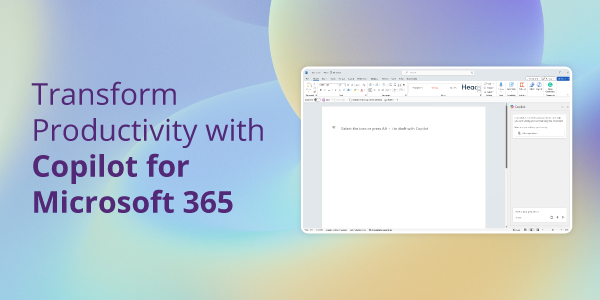
The original Microsoft Office applications — Word, PowerPoint, Excel, and Outlook — have been empowering businesses around the world for decades, and are the foundational tools for the Microsoft 365 package. These applications are still very relevant and are being constantly updated with new features as well as artificial intelligence features such as Microsoft Copilot.
Microsoft Loop
Microsoft Loop is a newer addition to the 365 Suite — and is a productivity powerhouse. It combines note-taking and ‘components’ to allow you to work in a free manner while also prioritising the organisation and collaboration on your ideas, keeping your ideas structured and easy to follow.
If your organisation is looking to improve efficiency when managing projects, Loop workspaces allow teams to organise projects, tasks, and content in one place. This helps keep everyone on the same page and ensures that all project-related information is easily accessible
Clipchamp
Clipchamp is an easy-to-use and intuitive video editor that you can use to edit videos in an instant. Instead of having to use expensive video editing software, Clipchamp lets you trim, cut, combine, and process videos in an instant.
Using Clipchamp is a great way to quickly and easily create social media videos to boost your web presence and share the great work you are doing with a wider audience.
Microsoft Planner
Microsoft Planner takes planning and organisation to the next level. With a host of intuitive planning features and the ability to easily structure your day, Microsoft Planner is a single screen that gives you an overview of your day — which you can tailor to perfectly meet your needs.
If you’ve started using Microsoft Loop for project management, you can embed Planner components into your Loop workspace.
Advanced Security Features
Not-for-profit organisations are the second most targeted sector by cybercriminals and make up 31% of all cyberattacks. There are two primary factors which make not-for-profits such attractive targets.
- Not-for-profits typically have poor security controls. This is due to smaller cybersecurity budgets, with the majority of budget going to good causes.
- Not-for-profits collect and retain information which is valuable to cybercriminals, such as donor and beneficiary personally identifiable information, as well as processing donor transactions.
Microsoft 365 Business Premium includes all the security controls and features required to keep your not-for-profit protected against the majority of cyberattacks.
Identity and Access Management
Identity and Access Management is vital to any modern business. After all, controlling who can enter your network and identifying them to be able to give them permissions and access is vital — and Microsoft has a host of tools for this.
Most importantly, Microsoft Entra ID is a comprehensive Identity and Access Management tool that you can implement throughout your enterprise. This will let you implement more robust and complex security policies, such as the principle of least privilege.
Mobile Device and Application Management
Mobile and BYOD management is incredibly difficult and complex. After all, balancing the needs of a organisation while also respecting the privacy and autonomy of your employees can make this a nightmare.
Microsoft 365 has built-in MDM for mobile devices and application management, meaning that this whole process is easier than ever. You can set policies and keep devices maintained, while also allowing for less suffocating mobile rules to ensure productivity and morale are high.
Next-Generation Cybersecurity
Cybersecurity is vital to the success of any modern business, and ensuring that your security strategy is robust will be the difference between success and failure in many cases. Microsoft 365 includes tools such as Microsoft Defender — tools that have comprehensive security features to protect your business.
Collaboration and Communication
Microsoft Viva
Employee morale is vital, and understanding your employees’ needs and wants can be the difference between a successful and failing organisation. Historically, employee retention is higher in not-for-profits than other industries, but focusing on employee experience ensures that you can recruit and retain top talent.
Microsoft Viva is the whole employee experience package, letting you get a better idea of how your employees are working and developing within your business.
Between training and development, Microsoft Viva is all about feedback and goals — helping you better understand your employees’ specific needs and goals for the future. Plus, Viva simplifies key processes that employees may have otherwise found strenuous.
Outlook
Outlook is another classic Office program that supercharges your email capabilities and planning capabilities. Now with modern features like Copilot, Microsoft Outlook is unmissable for any business wanting a robust solution to accepting emails and creating wider plans.
OneDrive for Business
File sharing and storage in the cloud are handy, and Microsoft OneDrive does both with ease. Instead of having to email and share files, you can just put them into your OneDrive and access them anywhere, with the ability to also share the link to them for easy collaboration.
SharePoint
For more complex and considered file storage needs, SharePoint does it all.
With the ability to tag and manage content, SharePoint is the king of file and data management — you can easily create sites for your employees to find files, while also being able to triage to get rid of unnecessary files and content.
On top of this, SharePoint has content management capabilities like no other. You can easily tag, revise, and collaborate on content — making it easier than ever.
How We Can Help
Microsoft 365 is an essential component of the modern not-for-profit, and taking advantage of it is vital for any organisation that wants access to the best suite of tools available. These many tools will allow your enterprise to have a well-rounded, robust solution for any need, elevating your impact, without breaking the bank.
If you’re looking to get started with Microsoft 365, reach out to us today. We’re here to help and will ensure you have everything that you need to be able to unlock your true potential.
Get in touch with us now and see how we can help.