As organisations embrace AI-powered productivity tools like Copilot for Microsoft 365, they unlock valuable insights and enhance user productivity. However, these tools also introduce new user activities and generate substantial data. Just like any other organisational data, this information requires robust security and compliance management.
The Need for Sensitivity Labels for Copilot Adoption
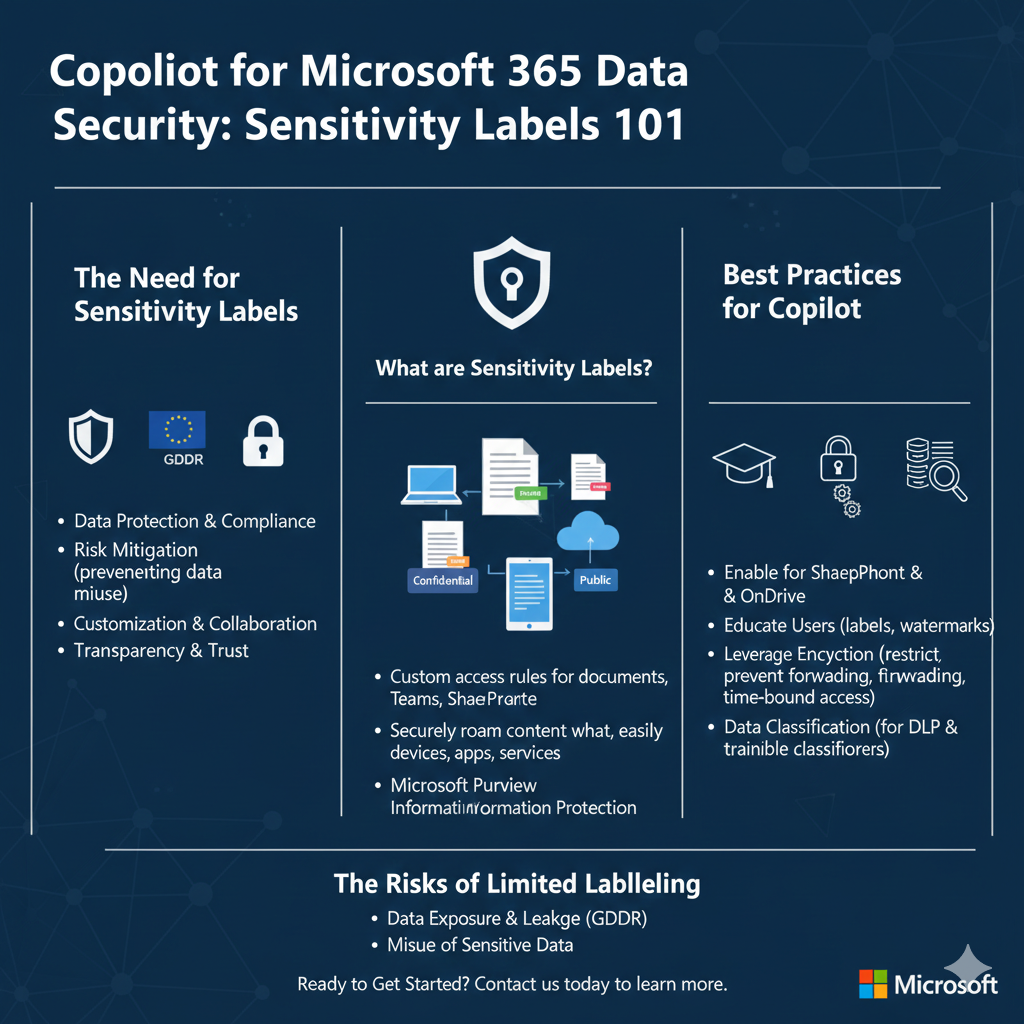
Sensitivity labels play a crucial role in Copilot adoption for a number of reasons from data protection and compliance to risk mitigation, they are also important for customisation and collaboration.
Sensitivity labels can help safeguard sensitive information by classifying it based on its level of confidentiality and ensure compliance with data protection regulations (such as GDPR) by enforcing access controls and encryption.
Copilot processes a vast amount of data, including user inputs and context. Sensitivity labels can help with risk mitigation by allowing us to handle sensitive data appropriately, minimising the risk of accidental exposure or misuse.
Copilot often collaborates with users, sharing code, documents, or responses. Sensitivity labels facilitate secure collaboration by clearly marking sensitive content and controlling its distribution.
Labels also provide transparency, assuring users that their sensitive information is treated appropriately.
What are Sensitivity Labels?
Sensitivity Labels are custom sets of access rules that you can define and apply to documents, Microsoft Teams, and SharePoint sites. They allow your team to precisely control exactly who can access what in a straightforward and intuitive way.
To get their work done, people in your organisation collaborate with others both inside and outside the organisation. This means that content no longer stays behind a firewall—it can roam everywhere, across devices, apps, and services. And when it roams, you want it to do so in a secure, protected way that meets your organisation’s business and compliance policies.
Sensitivity labels from Microsoft Purview Information Protection let you classify and protect your organisation’s data, while making sure that user productivity and their ability to collaborate isn’t hindered.
Sensitivity Labelling Best Practices for Copilot
To maximise the benefits of sensitivity labels for Copilot, consider the following best practices:
- Enable Sensitivity Labels: Ensure that sensitivity labels are activated for SharePoint and OneDrive. This step allows Copilot to inherit sensitivity labels from source files, maintaining consistent protection settings.
- Educate Users: Train your organisation on sensitivity labels and their significance, familiarise them with label configurations, including header or footer text, which provide context within apps like Word, Excel, and PowerPoint. Maintaining strict data security policies across your entire business requires that every team member adheres to your defined security processes. This can include such tasks as ensuring that specific classes of documents are appropriately identified through the application of watermarks and that access to these documents is only made available to the right people.
- Leverage Encryption: When you create a sensitivity label, you can restrict access to content that the label will be applied to. Some examples of use cases of using the encryption settings for a sensitivity label include:
- Only users within your organisation can open a confidential document or email.
- Users can’t forward an email or copy information from it that contains news about an internal reorganisation.
- The current price list that is sent to business partners cannot opened after a specified date.
- Only the people invited to a confidential meeting can open the meeting invite and they cannot forward the invite to others.
- When a document, email, or meeting invite is encrypted, access to the content is restricted meaning that it can only decrypted by authorised users, and it remains encrypted even if it is sent outside your organisation and even if the file name is renamed.
- Data Classification: Although Data Loss Prevention (DLP) policies do not yet fully support Copilot, data classification for sensitive info types and trainable classifiers can identify sensitive data in user prompts and responses.
The Risks of Limited Sensitivity Labelling
Without comprehensive sensitivity labelling, businesses face several risks:
- Data Exposure –Without clear labels, users may inadvertently share sensitive information and a mislabelled document may end up in an insecure location.
- Compliance Violations: Non-compliance with regulatory requirements can result in penalties and reputational damage. Inadequate labelling violates privacy regulations and are non-compliant with data protection laws such as GDPR.
- Misuse of Sensitive Data: Copilot might inadvertently use sensitive information in responses without proper context and compromise confidentiality unintentionally exposing personal identifiers or proprietary algorithms.
Ready to Get Started?
Implementing sensitivity labels is critical for Copilot’s secure adoption. Explore Microsoft Purview’s capabilities and empower your organisation to harness the full potential of Copilot while safeguarding sensitive data.
Sensitivity Labels provide a simple, straightforward solution to ensuring organisation-wide adherence to your document and resource-focused security policies. They can be created by your central IT team, or they can be offloaded in a controlled way to others within your organisation to reduce your IT team’s workload.
Contact us to learn more today.