
Artificial intelligence is no longer experimental, nor is it confined to the fringes of IT infrastructure. It is now embedded in the daily operations of businesses of all sizes, helping teams work smarter, customers receive faster service, and decisions get made with more context and confidence.
Among the technology leaders driving this shift, Microsoft has established one of the most comprehensive and integrated AI ecosystems available today. But with the growing number of AI-powered tools across Microsoft 365, Dynamics, Azure, GitHub, and the security stack, it’s easy to feel overwhelmed. Even for forward-thinking companies, it can be difficult to clearly understand how these components differ, where they overlap, and how they can work together as part of a broader strategy.
This article is for those looking to make sense of Microsoft’s AI offerings. We will walk through each major tool, clarify its purpose, and show how it fits into a wider workplace context. Our aim is to give you enough clarity to decide what matters most for your business today and where to direct your attention next.
Microsoft 365 Copilot Chat and Microsoft 365 Copilot
These two tools often appear side by side in discussions but serve different purposes and operate at different levels of integration within the business.
Microsoft 365 Copilot Chat is an AI-powered assistant that is powered by ChatGPT-4o designed to provide general productivity support through natural language conversations. It does not integrate with your organisational data but is protected with enterprise-grade data protection, meaning queries and outputs remain isolated from your business content. It also supports pay-as-you-go access to agents, allowing users to automate specific workflows when needed. It is a useful entry point for individuals looking to try out AI in a professional context, offering a secure and reliable way to explore what generative AI can do without accessing company files or systems.
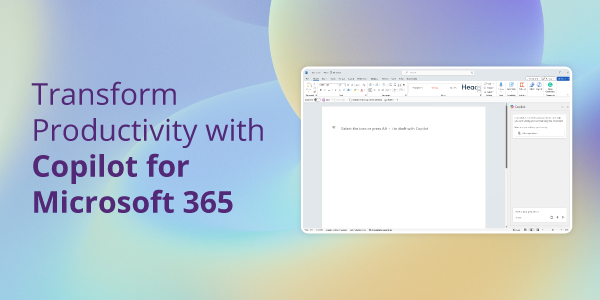
Microsoft 365 Copilot, in contrast, is fully integrated with Microsoft 365 applications such as Word, Excel, Outlook, and Teams. Its intelligence is context-aware, drawing on the documents, emails, chats, and calendars within your Microsoft 365 environment to provide tailored suggestions and content generation. For example, it can summarise a lengthy email thread, generate a project plan from a Teams meeting transcript, or transform data into visual insights directly within Excel.
Where Copilot Chat serves as a broader, standalone tool for experimenting with AI capabilities, Microsoft 365 Copilot is embedded, task-specific, and deeply connected to your everyday workplace data. Together, they illustrate a spectrum of AI adoption, from safe experimentation to full-scale integration.
Copilot for Sales
Selling has always depended on timing, relationships, and clarity. Copilot for Sales is designed to support all three by placing relevant insights in front of sales teams at the exact moment they need them.
Unlike the more general Microsoft 365 Copilot, this version is integrated with CRM systems like Microsoft Dynamics 365 Sales and Salesforce, providing real-time context around opportunities, pipelines, and communications. It can summarise previous interactions, highlight key account behaviours, draft personalised outreach emails, and even help salespeople prepare for meetings by pulling in notes and updates across systems.
Sales professionals no longer need to spend valuable time piecing together fragmented information. Instead, they can spend more time engaging meaningfully with customers. While the tool is specialised, its impact is broad. For growing businesses with multiple opportunities in play, Copilot for Sales introduces structure without rigidity and insight without information overload.
Copilot for Service
Customer service is another area where the right information at the right time can transform outcomes. Copilot for Service brings AI-driven support to the front lines, equipping agents with useful content and recommendations as they engage with customers.
The tool is trained to interpret support tickets, customer history, and live conversations, enabling it to suggest helpful responses, retrieve related documentation, and flag patterns that might indicate wider issues. Especially in environments with high volumes or repetitive queries, this can significantly reduce time to resolution and ease the load on support teams.
It operates quietly in the background, but the benefits show up in how quickly and confidently agents are able to respond. For service managers, it also provides new insight into which resources are being used most frequently and where gaps in knowledge may exist.
Copilot for Finance (Currently on Public Preview)
Finance teams often deal with a heavy burden of routine reporting, reconciliation tasks, and manual data validation. Copilot for Finance is developed to assist with exactly these pain points.
Using integrations with systems like Dynamics 365 Finance and Microsoft Excel, it can automate the preparation of period-end reports, detect variances, surface anomalies in accounts, and support decision-making with tailored insights. Rather than replacing established finance processes, it enhances them, giving finance leaders a clearer view of their data and allowing them to act more strategically.
This is particularly valuable for small to mid-sized businesses where finance teams are often lean and may not have access to dedicated analysts. Having AI support in routine financial processes allows for greater agility, improved accuracy, and faster access to vital information.
Copilot Studio
Not every use case fits neatly into standard productivity or role-based AI tools. That is where Copilot Studio becomes essential. A low-code development environment, it empowers businesses to build their own custom copilots using guided templates or more advanced configurations.
Whether it’s a chatbot that handles internal HR queries, a field service assistant that tracks case updates, or a procurement guide that helps staff follow supplier protocols, Copilot Studio enables you to create intelligent, task-specific agents that work the way your business does.
It is particularly powerful because these bespoke agents can connect to internal data sources, external APIs, and a wide range of Microsoft services. You do not need a full development team to get started. Once built, these agents can be deployed across Teams, websites, and other digital touchpoints to offer a consistent and reliable experience.
As businesses become more familiar with AI, Copilot Studio is expected to play a key role in turning niche problems into scalable solutions without major overhead.
GitHub Copilot
While many of Microsoft’s Copilot tools are designed for business users, GitHub Copilot addresses one of the most technical user groups: software developers.
Integrated directly into popular editors like Visual Studio Code, GitHub Copilot can suggest code, explain functions, complete boilerplate, and even recommend fixes. It is particularly useful for junior developers who are learning patterns or experienced engineers working to deliver faster without sacrificing code quality.
Its suggestions come from a wide corpus of public and private code, giving developers relevant, contextual help without needing to constantly switch to documentation or forums. This improves concentration, reduces cognitive strain, and supports team productivity.
For businesses with in-house development needs or managed services teams supporting clients, GitHub Copilot is becoming less of a curiosity and more of a standard enhancement.
Security Copilot
Cybersecurity teams face some of the most complex data environments in any organisation. Security Copilot is Microsoft’s answer to this challenge.
Built with generative AI and trained on global threat intelligence data, it enhances the ability to detect, investigate, and respond to security incidents. Analysts can ask natural language questions like, “What alerts should I prioritise today?” or “Which endpoints are showing abnormal activity?” They will receive clear, actionable responses generated from real-time telemetry.
Security Copilot integrates with Microsoft’s wider security suite, including Defender and Sentinel. This allows it to surface rich insights, build automated response plans, and summarise investigation steps. Importantly, it also keeps a full record of decisions, giving teams a clear audit trail that supports compliance and review.
The result is a tool that improves both the speed and completeness of security operations, helping even smaller teams to manage large threats with confidence.
Azure AI Foundry
For use cases that cannot be solved with out-of-the-box AI tools, Azure AI Foundry offers the broadest canvas. This is Microsoft’s platform for building and deploying custom AI models and applications, backed by the scale and flexibility of Azure.
Foundry is designed for AI architects and developers who want to create more complex solutions, combining pre-trained models, internal business data, and third-party integrations. It supports the full AI lifecycle, from model training to deployment and monitoring, and offers compatibility with frameworks like PyTorch and ONNX, as well as integration with Copilot Studio and other Microsoft services.
This is where you go when business priorities require a fully custom approach. Foundry provides the governance, scalability, and compliance features needed for enterprise AI, but its modularity makes it accessible for growing businesses as well.
Bringing it all together
What makes this ecosystem so powerful is not just the individual tools but the way they connect. Whether you are using Word or Dynamics, hosting data in Teams or in the cloud, Microsoft’s AI solutions are designed to work together, with shared access to the Microsoft Graph and a consistent security model.
This interoperability reduces friction by making context portable. If Sales has information stored in Dynamics, Service can retrieve it. If Finance needs an update generated in Excel, Copilot will draw from the right Teams conversation. And when something specific isn’t covered, custom agents or Azure solutions can fill the gap, all within the same wider framework.
Rather than replacing people, each of these tools is designed to amplify your team’s impact. Whether you’re building workflows, analysing information, supporting customers, or shipping code, the goal remains the same, use AI to clear what’s in the way so your people can focus on what matters.
Getting started
Microsoft’s AI ecosystem offers more than just smart features. It offers a toolkit for transformation, one that accommodates businesses of every shape and size. From embedded productivity features to specialised role-based tools, and from low-code custom agents to fully bespoke AI deployments, there is a solution for nearly every challenge.
Getting started doesn’t require doing everything at once. You can begin with what suits your business today. But as you consider where your teams spend their time, what slows them down, and what decisions would benefit from deeper insight, it becomes easier to see the value of AI that actually fits the way you work.
If you’re ready to explore how these tools could support your goals, contact us to find out more.