
Few technologies have influenced the workplace as rapidly or as profoundly as generative AI. The most commonly mentioned statistic is the fact that it took only 2 months for ChatGPT to reach 100 million users.
But, potentially more impactful, is that fact that in just three years, we have moved from experimenting with AI-powered chat tools to laying the groundwork for intelligent agents that can independently execute tasks, make decisions, and interact with enterprise systems. This journey is not just a story of technical innovation, it is a shift in how businesses operate and how individuals engage with their work.
Understanding where we have come from, how fast things are evolving, and where the immediate future lies is essential for any business leader navigating digital transformation. In this blog, we will walk through the progression from isolated chat tools to integrated agentic systems, highlight what current developments mean for your organisation, and outline why staying informed is more important than ever.
A brief look back at AI before ChatGPT
Machine learning and artificial intelligence have existed in the business world for years, but they were historically inaccessible to most employees. Before the recent wave of generative AI, automation and data modelling were largely confined to enterprise-scale organisations. These use cases often required dedicated data scientists, machine learning engineers, or vendor-specific implementation specialists.
AI tools were typically embedded in backend systems, powering things like fraud detection, predictive maintenance, or marketing segmentation. Small and medium businesses could benefit from these tools only through packaged software, and even then their role was passive or narrowly defined. AI was used to optimise a process, not to reshape the workflow itself.
The chatbot revolution begins
That began to change with the release of ChatGPT in late 2022. For the first time, employees at all levels were exposed to a tool that responded intelligently and conversationally to natural language questions. Whether it was summarising a report, drafting an email, or offering creative suggestions, people realised they could use AI to assist with everyday tasks. The interface was deceptively simple, but the implications ran deep.
ChatGPT democratised the use of AI. This wasn’t a dashboard tucked behind a login screen or a button within a piece of enterprise software, it was a conversation. Adoption accelerated not because businesses implemented it from the top down, but because employees brought it into their workflows from the ground up. No coding skills are required and you don’t even have to be tech-savvy to see the benefits from it, as it is just like you are having a conversation with apersonal assistant, or a peer.
As people began to test its limits, a new skill began to emerge: prompting. Knowing how to ask the right question, or frame the right scenario, became a minor art form. The effectiveness of the AI didn’t just depend on its training data, it also depended on your ability to query it with clarity and intent. Prompt engineering made its quiet entry into the modern skill set.
Grounding AI in business context with Microsoft 365 Copilot
While ChatGPT introduced the public to generative AI, it had one notable limitation, it existed outside the organisation. It could answer questions and generate content based on its training data, but it had no knowledge of your company, your clients, or your systems. Integration should be two-way. Without connecting to your internal data and context, you must supply additional details for ChatGPT to respond to your liking and get ideal results. This means submitting significant amounts of information, potentially sensitive, without control over its handling.
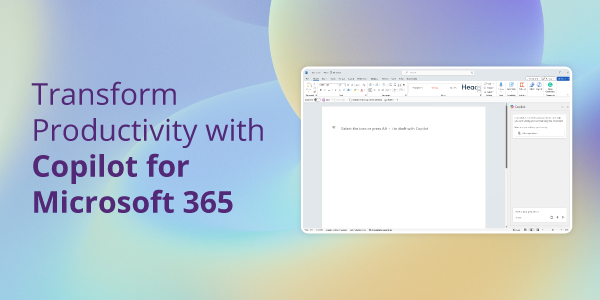
That changed with Microsoft 365 Copilot. Released as an integrated solution for the Microsoft productivity suite, Copilot brought generative AI into the heart of business workflows. Instead of sitting on the outside, it plugged directly into the tools employees were already using, Outlook, Word, Excel, Teams, and more.
More importantly, it drew from your internal data. Emails, calendar entries, meeting transcripts, Teams chats, documents and spreadsheets could all inform Copilot’s responses. That shift significantly increased the tool’s value. Now, instead of asking for a generic meeting summary, you could generate a tailored project update based on a month’s worth of communications across teams. Instead of drafting a generic client response, you could build a detailed reply that referenced relevant proposals, data, and history.
It was no longer just a chatbot. It became a copilot.
A growing ecosystem of generative AI tools
At the same time, a range of more specialised AI tools began to appear. Designers leaned into generative image platforms, marketing teams started using AI-powered content creation utilities, customer support teams explored chat-based interaction tools, and data analysts experimented with AI-driven pattern recognition.
Software vendors also began embedding AI into existing products. Scheduling assistants, email sorting functions, code autocompletion tools, smart transcription add-ons, all introduced AI in smaller, more focused ways. This gradual roll-in made AI increasingly normal within the workplace. Instead of one major solution, employees began using five or six across a single day, sometimes without even realising it.
As a result, familiarity grew. Teams became more comfortable interacting with AI tools, and the ambiguity around whether AI had a role in the business started to diminish. The question was no longer “Should we be using AI?” It became “Which AI tools are most useful for us?”
From Chatbots to Agents
The current phase of AI evolution goes one step further. Where early tools relied on you guiding the AI through direct interaction, the concept of AI agents introduces something new, delegation.
Rather than asking an AI to complete a specific task in real-time, what if you could set up an agent that knew what to do, what to look for, and how to respond, automatically? This is made practical by solutions like Copilot Studio, which lets organisations design their own agents using established workflows, custom data sources, and even third-party integrations.
These agents can perform meaningful work with minimal human prompting. They might monitor changes to a shared inbox and auto-respond to certain queries, or pull from document libraries to handle onboarding questions through a chat window. They can act independently, working across apps, gathering insight, or triggering actions when specific events occur. Better yet – you can already get hands-on experience on the capabilities of Copilot Chat using the free version that comes with your M365 subscription. While acting as your personal agent, you can enjoy the benefits from generative AI without the risk of accidental data exposure to third party tools.
The logic behind them is not new, task automation has existed for years, but the intelligence is. The introduction of natural language processing, multi-step reasoning, and organisational knowledge makes these agents more adaptable, more insightful, and far more valuable.
At present, AI agents are still in their early phases. Adoption is uneven and most businesses are only now beginning to understand their potential. But signs point to rapid growth. Just as chatbots became common in under a year, task-oriented agents are beginning to follow the same pattern.
What’s next for AI at work?
The next phase of generative AI may not be a single product or platform, but rather a fundamental shift in how people work. We are witnessing early signs of intelligent systems capable of operating independently, learning from feedback, adapting to complex environments, and initiating action without direct input. That does not mean artificial general intelligence is around the corner, but it does suggest a widening gap between businesses that embrace AI and those that do not.
AI will become more proactive. Instead of responding to your prompt, it may start offering suggestions before you even realise you need help. Status reports, risk alerts, content drafts, process improvements, these will arrive unprompted and ready for review.
We are also likely to see stronger links between front-end intelligence and back-end systems. AI will not just generate words or charts, it will manage workflows, update records, and trigger downstream effects. That will require more accountability, clearer boundaries, and greater understanding across all teams, not just the IT department.
If you lead or manage a business, the key message is this: these tools do not replace your people, but they do change what your people are capable of. Ignoring them is not a neutral option. Many of your competitors are already building future-ready workflows, investing in thoughtful AI use, and exploring ways to expand what their teams can do.
What does this mean for you?
The shift from chatbots to agents is not just a technical journey. It represents a new chapter in how AI supports human work. From general-purpose chat tools to integrated productivity copilots, and now to intelligent agents that act on our behalf, each step has made AI more accessible, more embedded, and more essential.
As capabilities grow, so does the importance of staying informed. Understanding the trajectory helps you make the right decisions for your organisation, not just about tools, but about talent, training, privacy, and processes. The future is likely to move fast, but it will reward those who meet it with curiosity rather than hesitation.
If you are considering how AI can fit into your organisation, we are here to talk. Contact us to find out more.